
AIWorkCraft Review · Verified 22 September 2026
Synthesia Review 2026
A practical look at Synthesia for creating presenter-led training, onboarding and business videos without cameras, actors or a traditional studio.
160+ languages
Free plan available
No-code workflow
Review basis: official Synthesia product, pricing and security information. AIWorkCraft has not independently tested every paid feature. Prices and limits can change, so verify them before purchasing.
Editorial score
Quick verdict: Synthesia is a strong option for non-technical professionals and teams that need repeatable training, onboarding, internal communication or explainer videos in multiple languages. Its main trade-offs are usage credits, paid-plan limits and the fact that avatar-led video is not a substitute for every kind of live or cinematic production.
What is Synthesia?
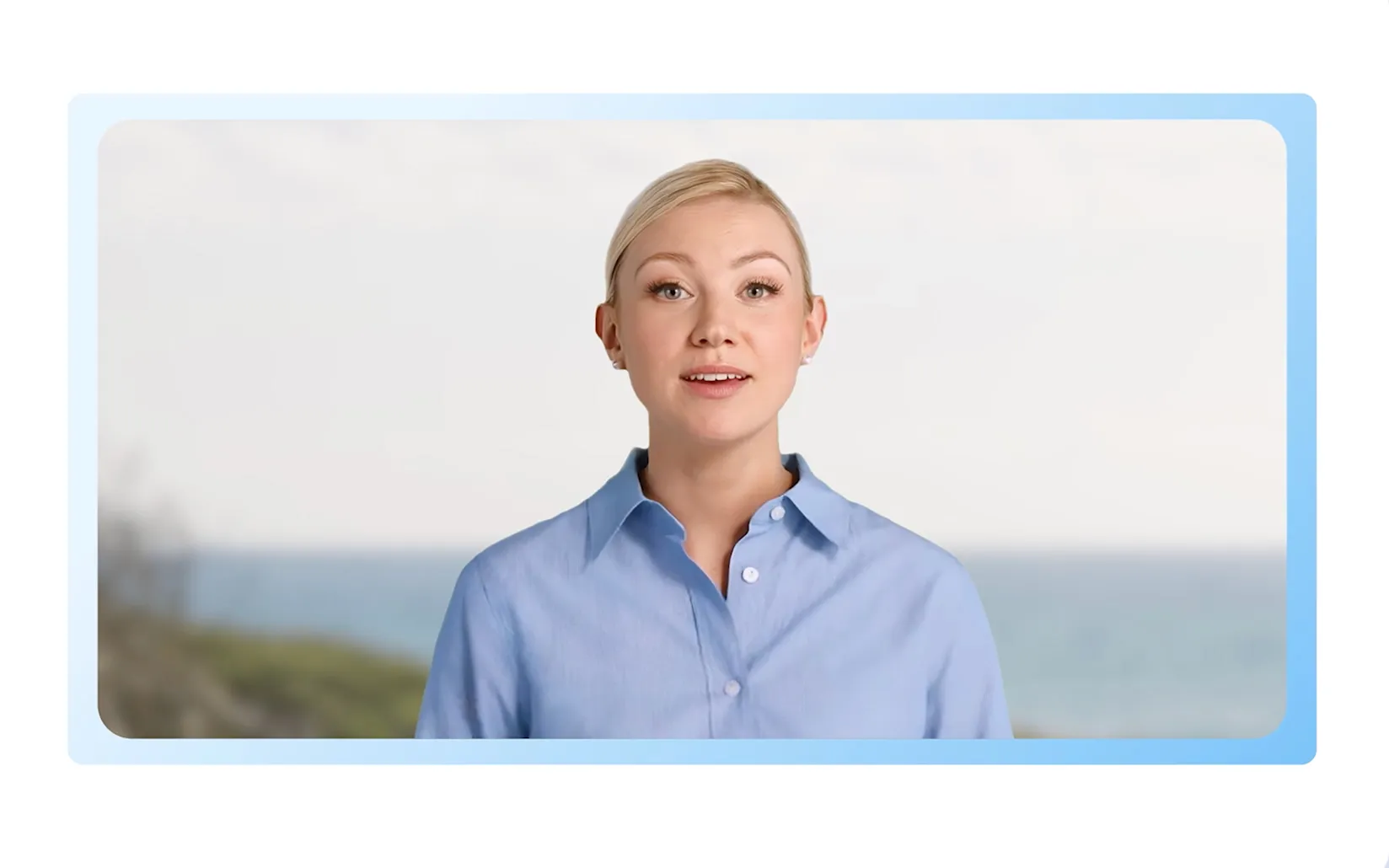
Synthesia is an AI video platform that turns scripts, prompts and documents into videos presented by AI avatars and voices. You select an avatar, enter or generate a script, choose a language and voice, review the output and generate the finished video. This removes much of the equipment, filming and editing work normally required for presenter-style video.
It is especially relevant for training, employee onboarding, internal updates, product explainers, customer education and localized content where consistency matters more than cinematic production.
Key features
AI avatars and actors
Choose from a large avatar library or create eligible custom and personal avatars, depending on the plan.
160+ languages
Create and localize videos with multilingual voices and accents without recording every version again.
AI Video Assistant
Turn a prompt, script or document into a structured first video draft, then edit the scenes and narration.
Templates and branding
Use reusable layouts, brand assets and consistent visual elements for repeatable business content.
Dubbing and translation
Adapt an existing video for additional languages, with plan and credit limits applying.
Business controls
Higher tiers add collaboration, API access and enterprise capabilities such as SSO and organizational controls.
Synthesia pricing at a glance
| Plan | Current starting price | Best suited to | Important limit |
|---|---|---|---|
| Basic | $0/month | Exploring the editor and testing avatars | 1,200 credits monthly; some export and production features require a paid plan |
| Starter | $29/month | Individuals creating regular business videos | Includes 1,200 credits per month on monthly billing |
| Creator | $89/month | Individuals or small teams needing more capacity | Includes 3,600 credits per month on monthly billing |
| Enterprise | Custom quote | Organizations needing scale, governance and support | Contract-specific features and terms |
USD list prices checked on 22 September 2026. Annual billing discounts may be available. Taxes, currency conversion and regional offers can affect the final amount. Check the official pricing page before subscribing.
Pros and cons
What we like
- Simple script-to-video workflow for non-technical users
- Strong multilingual and localization options
- Useful for repeatable training and onboarding content
- No camera, microphone or presenter scheduling required
- Free plan lets users evaluate the basic workflow
What to consider
- Credits and generation limits require planning
- Downloads and several production features need a paid plan
- AI-presenter videos may feel less natural than a real presenter
- High-volume production may require Creator or Enterprise
- Avatar, voice, consent and brand rules must be followed carefully
Who should use Synthesia?
Good fit
- HR and learning teams creating onboarding or compliance content
- Businesses producing multilingual internal communication
- Product teams building explainers and customer education
- Professionals who want presenter-style video without filming
Consider another approach if…
- You need cinematic, documentary or highly emotional storytelling
- You require unlimited generation on a very small budget
- Your content depends on spontaneous live interaction
- Your organization has not approved AI-avatar or voice usage
A practical workflow
- Approve the script first: finalize facts, compliance wording and calls to action before generating video.
- Select the right avatar and language: choose a presenter and voice suitable for the audience.
- Review pronunciation: check names, acronyms, technical terms and localized wording.
- Generate a short test: validate style and pacing before using more credits.
- Complete a human review: verify accuracy, consent, branding, captions and accessibility before publishing.
Security and responsible use
Synthesia publishes security information and states that it maintains SOC 2 Type II and ISO certifications, with enterprise controls available for larger organizations. Your own security, privacy, procurement and legal teams should still evaluate the intended use, data classification and contract terms.
Use only authorized scripts, likenesses, voices and brand assets. Obtain consent where required and make it clear when an AI-generated presenter could otherwise mislead viewers.
Frequently asked questions
Can I try Synthesia for free?
Yes. The Basic plan is free and currently includes 1,200 credits per month, which Synthesia describes as usable for up to 10 minutes of video, subject to feature-specific credit consumption.
Do I need video-editing experience?
No advanced editing experience is required for the standard workflow. You work with scripts, scenes, templates, avatars and voice settings in a browser-based editor.
Is Synthesia suitable for training videos?
Yes. Training, onboarding and internal communication are among its strongest use cases, particularly when the same content must be updated or localized repeatedly.
Does Synthesia support Hindi?
Synthesia supports more than 160 languages and accents. Confirm the exact Hindi voices and pronunciation quality with a short free-plan test before using it for production.
Final verdict
Synthesia is worth considering when the goal is consistent, scalable and multilingual business video rather than traditional filming. Start with the free plan, test one real workflow and evaluate voice quality, avatar fit and credit usage before upgrading.